

What is FlexiQuiz?
FlexiQuiz is a secure e-learning platform that enables you to create everything from informal knowledge checks to formal, high-stakes assessments.
Designed for modern learning, FlexiQuiz helps educators, trainers, and organizations create effective online quizzes and interactive learning activities. We support thousands of teams worldwide across healthcare, government, small and medium-sized businesses, non-profits, and large enterprises.
With a wide range of customizable features, FlexiQuiz makes it easy to create almost any type of quiz, test, or exam. Whether you’re running fun, live quiz games to engage a whole class or delivering secure assessments where accuracy and control matter most, FlexiQuiz gives you the flexibility to build quizzes that fit your exact needs.
Powerful features designed to scale your training
With our built-in tools and flexible options, FlexiQuiz makes it easy to create, share, and analyze quizzes or learning materials — no coding skills required.
Here are some of our most popular features:
- New! More ways to prevent cheating by tracking people switching tabs and forcing full-screen mode.
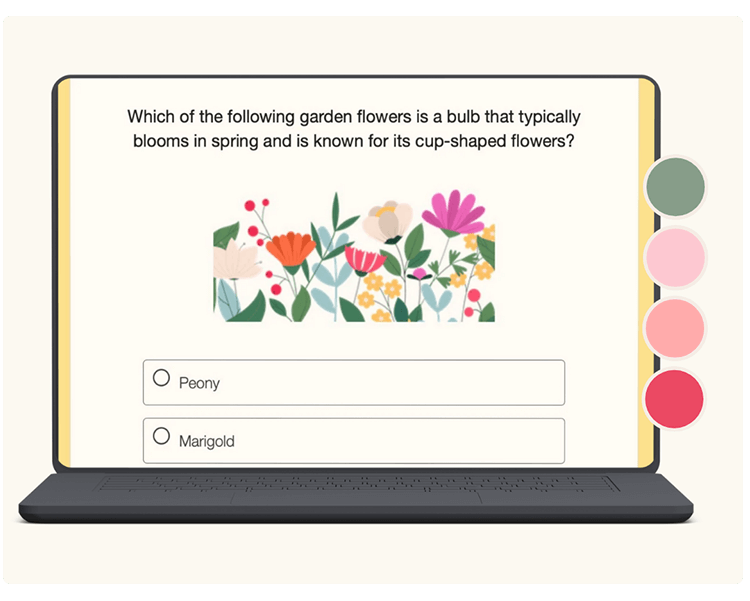
- New! Custom themes with color or image templates.
- Add your questions from scratch, upload multiple questions with our Excel template or generate questions with AI.
- Usage limits based on your needs.
- Automations such as email notifications, learning paths and drip feeding content.
- Instant scoring and grading.
- Certificates you can customize with your text and branding.
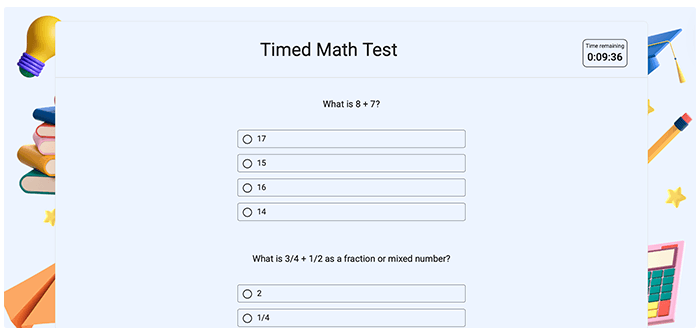
- Countdown timers, bookmarks, question randomization and more.
- A question bank to store your questions, split by category.
- Payment pages to sell your quiz or learning content.
- Time limits by page or the whole quiz.
- 11 question types, including fill-in-the-blanks, file upload, essay, multiple-choice, single choice, short answer, hot spot and matching text.
- Ways to share your quizzes, either privately or publicly.
- Respondent portals that allow students to access all of their learning content in one place.
- Groups to easily manage courses and classes.
- Options to add accounts so that you can work in collaboration with others.
- APIs and Webhooks.
Check our complete list of features available for each plan on our pricing page.
Here to help you make quizzes and so much more
Online quizzes and e-learning activities can be used in many ways, from quick knowledge checks to interactive, real-time learning experiences. Choosing the right format helps improve engagement and learning outcomes.
With FlexiQuiz, you can create a variety of quiz types and e-learning activities to suit different audiences, goals, and delivery styles. Below, we explore what you can build and how each option works.
- Binary quizzes such as ‘True or false’ and ‘Yes or no’.
- Educational tests such as spelling, mathematics, numerical reasoning, languages or vocabulary.
- Timed formal examinations.
- Certification tests.
- Marketing quizzes, such as lead generation or personality quizzes.
- Fun quiz games such as trivia, pub quizzes, and getting-to-know-your-friends, buddy, or partner.
- Paid quizzes and assessments such as certification tests, practice tests or learning a new skill.
- HR assessments and learning activities that are used across recruitment, onboarding, compliance, and employee development to support consistent, measurable people processes.
Popular FAQs about FlexiQuiz
Is it easy to create a quiz with FlexiQuiz?
Yes — creating and sharing an online quiz with FlexiQuiz takes just a few minutes.
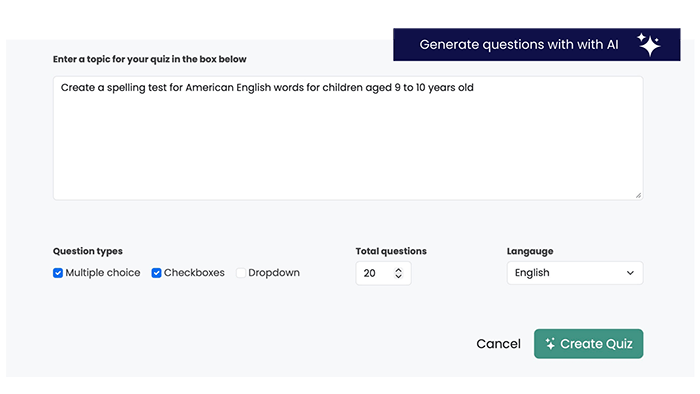
You can create quizzes from scratch using FlexiQuiz’s intuitive editor, or save time by using FlexiQuiz AI to generate questions from a topic, URL, or Wikipedia page.
You can also speed up setup and keep everything consistent with ready-made templates that handle styling.
To get started, choose the type of quiz you want to create based on how learners will participate:
Classic quizzes: Learners answer a range of questions in their own time, following the rules you set. This is FlexiQuiz’s most flexible quiz type, with a wide range of configuration, feedback, and publishing options.
Live quizzes: A live quiz is run by a host (teacher, trainer, or presenter) who controls the pace. Questions are released one at a time, and players can only respond while each question is live.
This article gives you a simple step-by-step guide on how to make your first quiz with FlexiQuiz.
Can I create a quiz for free, and what features are available in the free plan?
Yes, you can create live quiz games (similar to Kahoot) or classic quizzes for free. Our forever-free plan has no ads, and we do not require a credit card.
On the free plan, you can collect up to 20 responses a month.
Our free plan offers a wide range of features, including AI-generated questions, time limits, 8 question types, and more. Learn more about the FlexiQuiz free plan.
What browsers and devices are supported by FlexiQuiz?
You can create, view, and complete a FlexiQuiz using the following platforms/ browsers:
Smartphones and tablets: all iOS and Android versions currently supported and maintained by Google and Apple.
Windows and Mac computers: with the latest versions of Chrome, Safari, Firefox, Microsoft Edge and Opera browsers.
We usually support at least two previous versions of all popular browsers and platforms.
Where do you store my data, and how is it protected?
All data is hosted on Amazon’s AWS service. Our main servers are located in the USA. You can read more about AWS here.
Note that we prevent access to information by any third party by encrypting your data in transit (end-to-end, including within the virtual private cloud at AWS) using secure TLS cryptographic protocols, and Advanced Encryption Standard (AES) is used with a 256-bit key to encrypt data at rest, including the backups of the information.
- Strict confidentiality agreements bind all FlexiQuiz employees.
- TLS secures all data in transit.
Back


