


Hot spot questions
A Hot Spot question allows learners to identify the correct area of an image by clicking or tapping on it. It’s an engaging question type because learners interact with the image rather than a text list.
FlexiQuiz lets you add multiple hot spots to an image in a rectangular or circular layout. Hot Spot questions are perfect for identifying locations on a map, parts of the body, areas of a diagram, objects in a photo, or features of a product.
In this guide, we'll show you how to add a Hot Spot question to your quiz with FlexiQuiz, upload an image, define the clickable area, and configure the scoring options.
How to add a hot spot question to your quiz
-
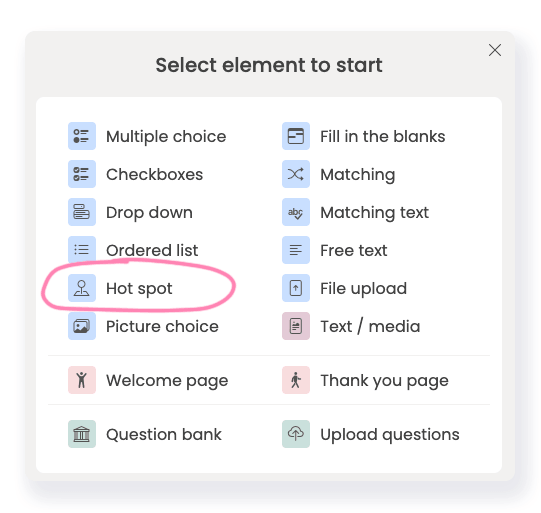
From the Create screen, select the hot spot question type.
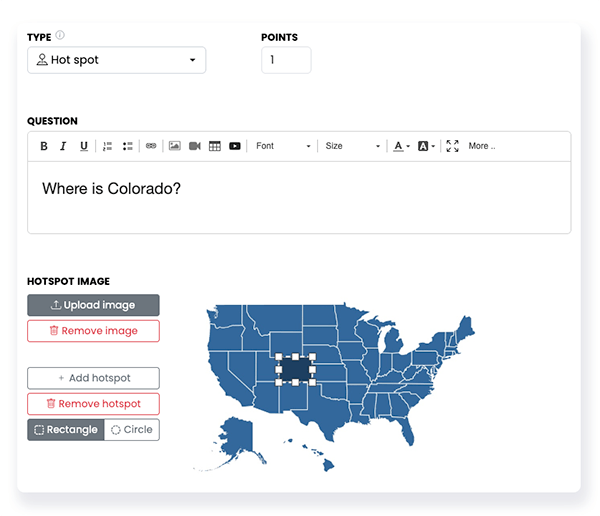
- Enter your question and any instructions for the learner in the question box.
- Click Upload image to add the picture where you want to add the hot spot. The image must be no more than 1 MB.
- You can change the hot spot's size by clicking it and dragging its edges to the desired size.
-
You can choose between a circular or rectangular hot spot.
- Click +Add hot spot to add more hot spots to your image.
- Then set the number of points you want to award for getting the whole question right. Points per answer option are not available.
-
Click the Settings tab to update the question's settings. Your options are:
- Required: The learner must provide a response before moving forward.
- Set categories:Add the question to a category in your question bank.
- Share feedback: Share custom feedback.
- Click Save to add the question to your quiz.
How a Hot Spot Question Works for Learners
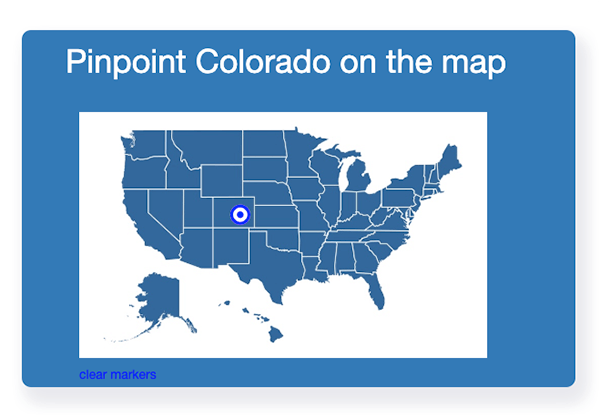
- Learners click or tap the image to place a marker on the area they believe is correct.
- If the question contains multiple hot spots, learners can place the same number of markers as there are correct answers.
- To change a selected location, learners can click Clear Markers to remove their existing selections and then place new markers on the image before submitting their answer.
Try our hot spot quiz.
Frequently asked questions
Are hot spot questions mobile-friendly?
Yes, hot spot questions are fully responsive and work well on any device, including a laptop, mobile, or tablet.
What is the recommended size for uploading a hot spot image?
The image must be no more than 1 MB.
We recommend a width of 800 pixels.
Relevant help guides
How to add timers to your quiz
Back


