

How to create engaging training quizzes with AI
By Joanna, FlexiQuiz.
3 minute read.
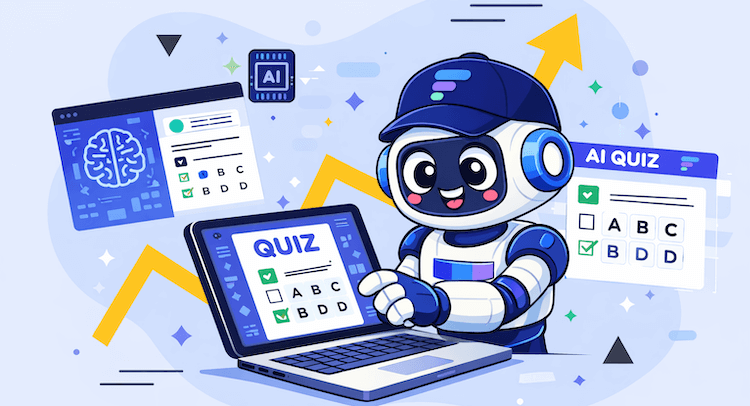
AI has the power to be one of the most useful tools at our disposal in the workplace.
From streamlining recruitment processes to maximising efficiency in repetitive tasks, it provides a wide array of opportunities to leverage new technology in.
While there is much vocal concern about the ways in which AI can take over human roles, it can also be a tool with which to assess and improve performance. AI tools can be a great leveller, broadening accessibility and preventing bias, as well as reducing costs and eliminating unnecessary tasks to free up resources for human workers.
One fantastic way to use AI in the workplace is to support training. With online quiz maker tools, you can create interactive employee assessment tools that can measure performance, target skill gaps, support self learning and self assessment and identify strengths and weaknesses.
These exercises can be carried out remotely for individual development, or utilised as part of group training activities to promote more active engagement and team building.
And with AI, creating training quizzes suited to your workforce is quicker than ever. In this article, we explore the benefits of using AI to create training quizzes, why they work and how to do it.
Why are training quizzes useful in the workplace?
Quiz activities are an easy way to gain insight into your team's strengths and identify areas for improvement.
They can be used to assess individual performance as well as the collective understanding of company goals, and give you a dataset on which to make informed decisions on future training strategies, hiring and promotion, and barriers to (or opportunities for) development across your organization.
A specialist training quiz maker will help you support professional development and enhance productivity, as well as assist HR in diagnosing performance and engagement issues. Interactive quizzes can also be used as a feedback gathering tool to assess job satisfaction and motivation in the workplace.
These employee assessment tools can be implemented in a range of settings, including team members completing a quiz remotely and individually. Alternatively, they can be used to improve situational engagement - for instance, during meetings and presentations, to ensure everyone is participating fully and understands the material.
How to create and use an AI quiz maker tool
Choose the right quiz making tool
Finding a tool suited to your needs is the first step.
You want a versatile online quiz generator with intuitive usability and a wide range of features that support different formats and styles.
Whether your quiz is designed to be used in the room or remotely, you need an adaptable format that can integrate with either for a range of purposes.
Create a prompt based on your topic
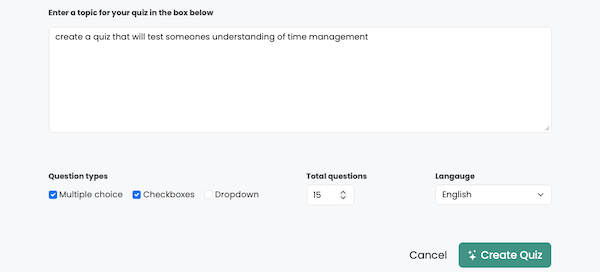
Your first starting point to creating a quiz using AI is to create your prompt.
What is the purpose of your quiz? Do you want to test your knowledge on a certain topic? Do you want to use multiple-choice questions or encourage employees to input their own answers and ideas? Maybe you need a feedback-gathering exercise.
You can specify a set number of questions, particular topics or niches you'd like to target, phrases to use or avoid, and more.
Customise your quiz for your audience
Once your quiz has been generated, you can review and customise it to suit your audience, for instance by tweaking tone of voice or adapting question formats. You can also set answers to give instant feedback on correct and incorrect answers - or ask AI to do it for you!
You can also ask the AI to make changes if required.
Using the results
Once your team has completed the quiz, you can use the results gathered to establish your follow up plan.
What gaps or opportunities have been identified? What feedback have you received from the team? With a clearer picture of your training and development needs, you can create a plan that targets your pain points without enacting change for change's sake.
Why use FlexiQuiz for AI training quizzes?
Our quiz tools are user-friendly, web based, and designed for a range of settings, from business and sales to recruitment and even education.
We have a wide range of available features and formats, with Learning Management features for training modules to live quizzes for short, snappy engagement.
Our highly intuitive systems use AI and automation to maximise efficiency. These features include tools which help you create quizzes, as well as automated grading features, live results which include leader boards which can be seen by yourself and participants, plus analytics which help you review and interpret the results.
Want to know more about FlexiQuiz? Create your free account today to get started or get in touch with one of our team to find out more about how FlexiQuiz can support your workplace.
Back


